Food truck
How can food trucks help customers find today's location and place an order?
Create a reliable daily location page, keep social updates fresh and connect preorders to the correct stop without overwhelming your service window.
The short answer
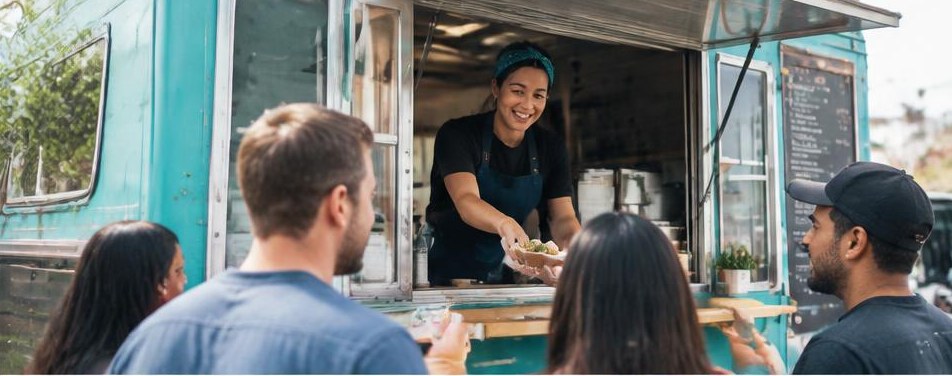
Food trucks should maintain one mobile-friendly page showing today’s confirmed stop, service hours, menu and ordering options, then direct every social update to it. Preorders should be tied to a specific location and pickup window so customers cannot accidentally order for the wrong stop.
A hungry customer should not have to investigate yesterday’s story, an old event flyer and three comments to locate your truck. For mobile food businesses, useful marketing starts with operational truth: where you are, whether you are serving and what someone can actually order.
01
Build a daily service board, not another announcement feed
Put today’s information at the top of a permanent page on your own website. Include the date, venue name, street address, exact parking position, service window and a visible status such as scheduled, serving, sold out or canceled. Place the upcoming schedule below it so next Saturday cannot be mistaken for today.
Explain access restrictions before someone travels. A corporate lunch stop may be private; a festival may require admission. Note relevant parking or pedestrian entry instructions and whether the truck operates independently of the venue’s hours. Assign one person to confirm the page before each service.
- Find us: directions to the actual serving position.
- See today’s menu: items and prices for this stop.
- Order for pickup: available only when the correct service is open.
02
Make every social post expire clearly
A photo caption saying “here until three” becomes misleading when it resurfaces tomorrow. Use the full day and date, venue and service window in both the image and caption. Keep your profile’s main link pointed at the live schedule rather than changing it to a new flyer each week.
Create a small publishing routine: confirm before departure, post when service begins and update when plans change. Mark cancellations and early sellouts on the website first, then correct active social posts and notify the host. Optional original filming could show the approach from the venue entrance to your window, making a confusing stop easier to find.
03
Treat Google eligibility as a separate decision
Do not create a new Business Profile for every parking spot. Google’s business representation guidelines call for accurate real-world representation and generally one profile per business. They also distinguish qualifying storefronts from service-area operations. A rotating public vending schedule does not by itself establish that every stop is an eligible location.
Review your actual operating model against the current guidelines before selecting an address or profile type. Do not present a commissary, mailbox or host venue as your permanent customer-facing storefront when it is not. For an eligible profile, Google’s local guidance supports accurate details, but a profile still does not replace your live daily schedule.
04
Let preorder capacity follow the griddle
Connect each order to a named stop, date and pickup window, and repeat those details in the confirmation. Publish order cutoffs, cancellation terms and the procedure for weather disruptions. Customers should know whether they are collecting at a separate pickup point or joining the regular window line.
Limit online availability to what the team can prepare alongside walk-up demand. Set item quantities and pickup-slot limits, then pause ordering when needed. Keep a simple fulfillment view for the crew. Launching preorder without a capacity rule can exchange one problem, uncertainty for customers, for another, an overloaded kitchen.
05
Measure location confidence before chasing reach
The SBA’s marketing guidance recommends connecting a defined audience and competitive advantage to specific goals. For a truck, a useful goal might be more completed pickups at a recurring lunch stop, not more followers scattered outside your route. Track directions taps, order starts, completed pickups and location-related questions.
Invite customers to subscribe voluntarily to relevant route updates. Email and SMS require applicable consent and opt-outs; an order contact number is not permission for promotional texting. Let subscribers choose locations where practical. A weekly office-park visitor should not need daily alerts about distant evening events.
From our portfolio
Make BBQ tenders with Cluck-U
This Cluck-U Chicken example shows the product being prepared. Food businesses can adapt the behind-the-scenes approach to their own menu, rather than copying the scene.
Your next steps
- Create one permanent page for current location and status.
- Assign responsibility for opening, change and sellout updates.
- Review listing eligibility before publishing an address.
- Tie every preorder to its stop and pickup window.
- Test cancellation and sold-out messages before launch.
Questions owners ask
Can social media replace a schedule page?
It can spread updates, but older posts can resurface and stories expire. A permanent page gives customers one dependable destination.
Should every menu item be available for preorder?
No. Begin with items that travel and hold appropriately within your established food-service procedures and fit predictable preparation capacity.
Sources and further reading
Marketing guidance, not legal, medical, or financial advice. Have regulated campaigns reviewed by a qualified professional.