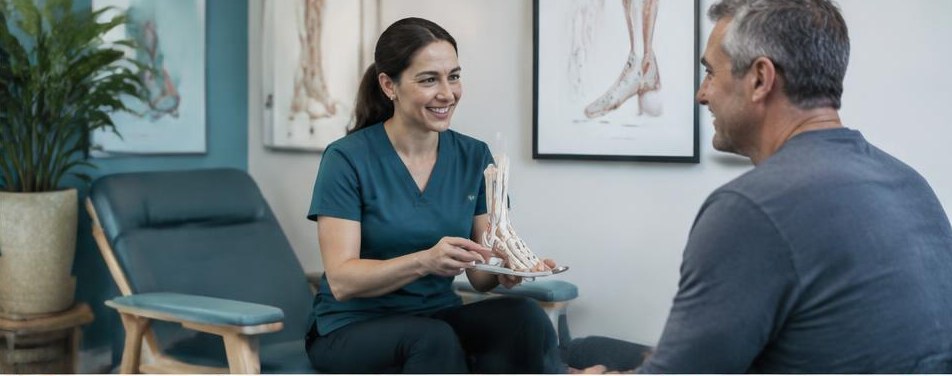
Chiropractor
How can chiropractors build trust through educational video?
Plan chiropractic videos that explain appointments, identify credentials, respect patient privacy, and avoid unsupported treatment claims.

The short answer
Chiropractors can build trust through educational video by explaining appointment processes in plain language, identifying professional credentials accurately, and setting realistic boundaries. Videos should answer administrative questions without diagnosing viewers, promising outcomes, or exposing patient information.
Prospective patients may want to know who will greet them, what the first appointment involves, and whether they can ask questions before agreeing to next steps. Those uncertainties make useful video topics. We recommend beginning with process clarity rather than dramatic treatment footage or broad claims about what chiropractic care can accomplish.
01
Choose questions a video can responsibly answer
Start with questions your scheduling team can answer consistently: where to park, how check-in works, which forms arrive before a visit, and whom to contact about payment. An optional original video can follow the route from the entrance to reception using an empty office. The goal is to make the setting recognizable, not to simulate an individual patient’s experience.
Separate those topics from questions that require a clinical evaluation. Avoid scripts that diagnose viewers based on a symptom or suggest that a particular service is appropriate for everyone watching. Explain that recommendations depend on individual assessment where relevant. A disclaimer cannot turn an unsupported claim into a responsible educational message, so revise the underlying script first.
02
Make the speaker’s role and limits visible
Introduce each speaker with an accurate name, role, and verified credential. Do not imply specialty recognition, additional qualifications, or a scope of practice the professional does not hold. Let administrative staff explain scheduling procedures, while appropriately qualified professionals review any clinical wording. Plain language should make distinctions clearer rather than blur them.
Use a focused structure: name the question, answer it directly, describe any relevant limitation, and give the appropriate next step. For example, a payment video can explain your actual billing process and direct coverage questions to the right contact. It should not promise that an insurer will reimburse a service or that a treatment plan can be determined from a social media comment.
- Use descriptive titles such as “How first-visit check-in works.”
- Define unfamiliar terms or leave them out.
- Avoid guarantees, fear-based hooks, and exaggerated authority claims.
03
Treat filming as a privacy-sensitive operation
Schedule filming when patients are not present whenever possible. Check desks, monitors, calendars, whiteboards, paperwork, reflections, and background audio before recording. Use staged materials with invented information, not real records. Staff participation should be voluntary and appropriately authorized. Review the edited footage as carefully as the filming area because details can become visible in close-ups.
HHS marketing guidance says using or disclosing protected health information for marketing generally requires written authorization, with limited exceptions. Do not assume a general photo release is sufficient. Have qualified privacy and compliance professionals review any proposed patient appearance, testimonial, clinical claim, and regulated ad. Keep patient information out of advertising platforms and review tracking on pages where the videos appear.
04
Publish for usefulness, then maintain the explanation
Place each approved video where its question arises. A check-in explanation belongs on the first-visit page; a parking walkthrough belongs beside arrival directions. Add accurate captions and a written summary so visitors can understand the content without sound. If you invite email or SMS subscriptions, obtain applicable consent and provide opt-outs rather than automatically adding appointment inquirers.
Google’s Business Profile guidance recommends accurate business information and useful photos or videos, while identifying relevance, distance, and prominence as local-ranking factors. Video is not a ranking guarantee. Evaluate whether viewers find the related information and whether staff hear fewer repeated administrative questions. Assign an owner to update or retire clips when personnel, fees, forms, or office procedures change.
Your next steps
- Select one practical question for each video.
- Verify the speaker’s credentials and every factual statement.
- Inspect the location and footage for private information.
- Obtain qualified review of clinical claims and patient-related content.
- Add captions and assign an update owner.
Questions owners ask
Do we need patient testimonials to make videos credible?
No. Accurate staff introductions, clear process explanations, and recognizable office footage can be useful without involving patients or their information.
Can we answer symptom questions in video comments?
Avoid individualized medical advice and do not request health details publicly. Direct people to the practice’s appropriate private contact process.
Sources and further reading
Marketing guidance, not legal, medical, or financial advice. Have regulated campaigns reviewed by a qualified professional.